Bangkok Alert – Turn Any Idea into App Design with AppX
AppX – From Idea to App Design in Seconds
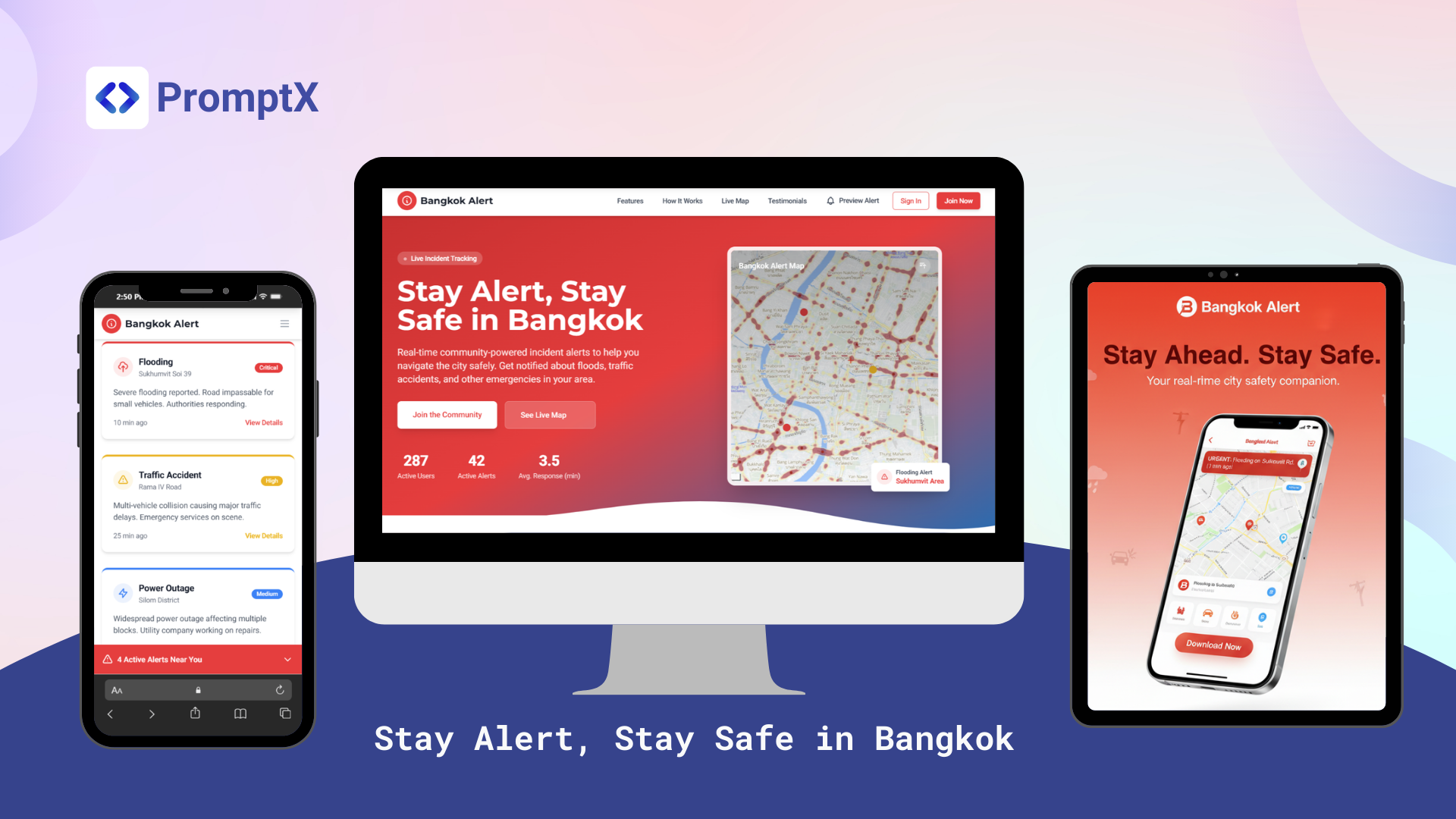
AppX by PromptX is a tool that helps you design web apps and websites effortlessly — just by typing your idea as a prompt.
No matter what you want to design:
- Business App for work
- Website to showcase your business
- Web App with interactive features
- Or even a Landing Page for marketing campaigns
Why AppX?
- No Code Needed – Just describe your idea
- Flexible Output – Create designs for websites, apps, and landing pages
- Instant Mockup – See the UI right after typing your prompt
- Creative Freedom – The design adapts to your direction and vision
Example: Bangkok Alert
Bangkok Alert is one example created with AppX — a community incident alert app designed in seconds. With just a simple prompt, AppX generated a full landing page design: Hero Section, Feature Cards, Interactive Map, Testimonials, and Call-to-Action — all ready to showcase.
Page Structure
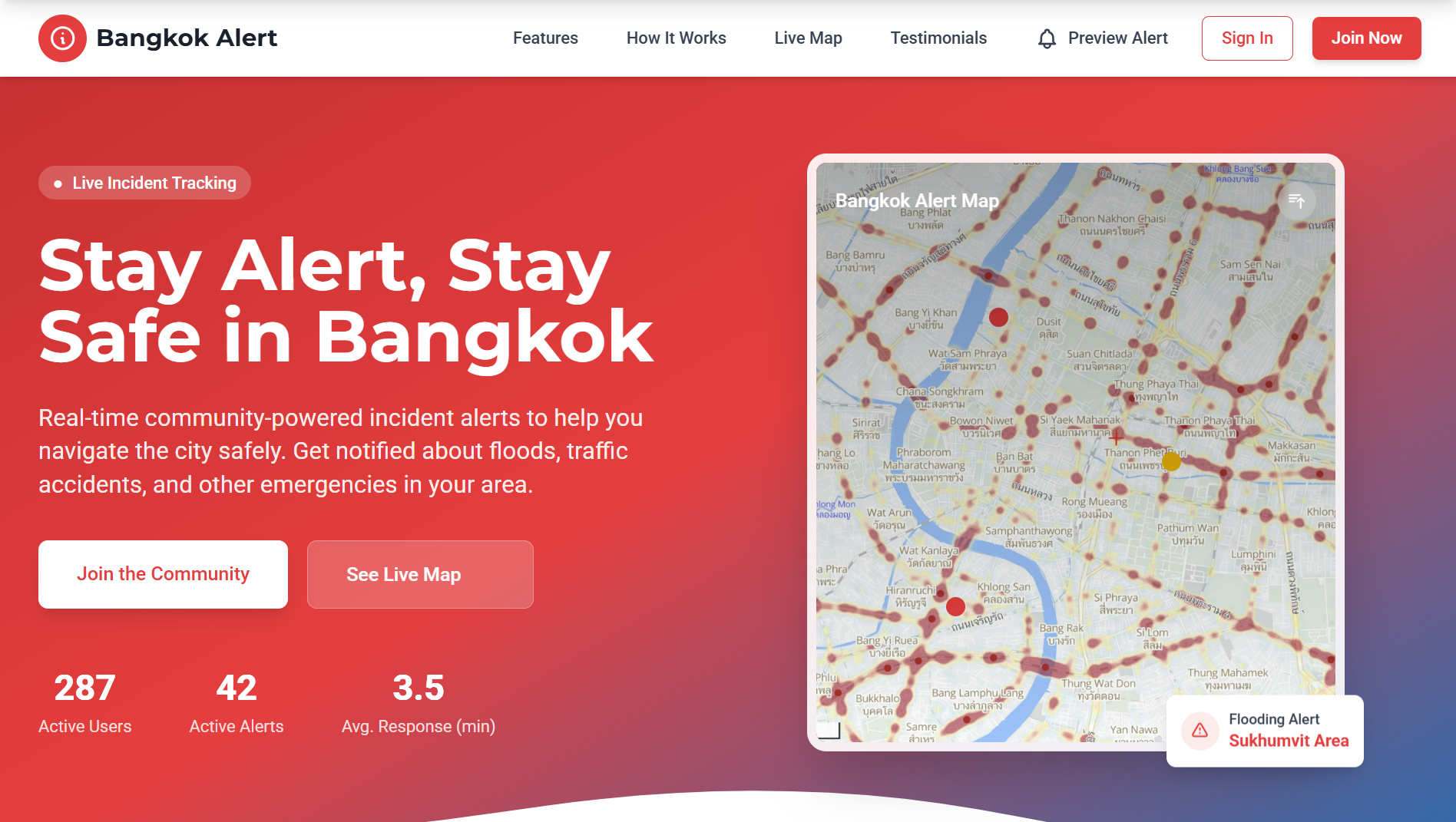
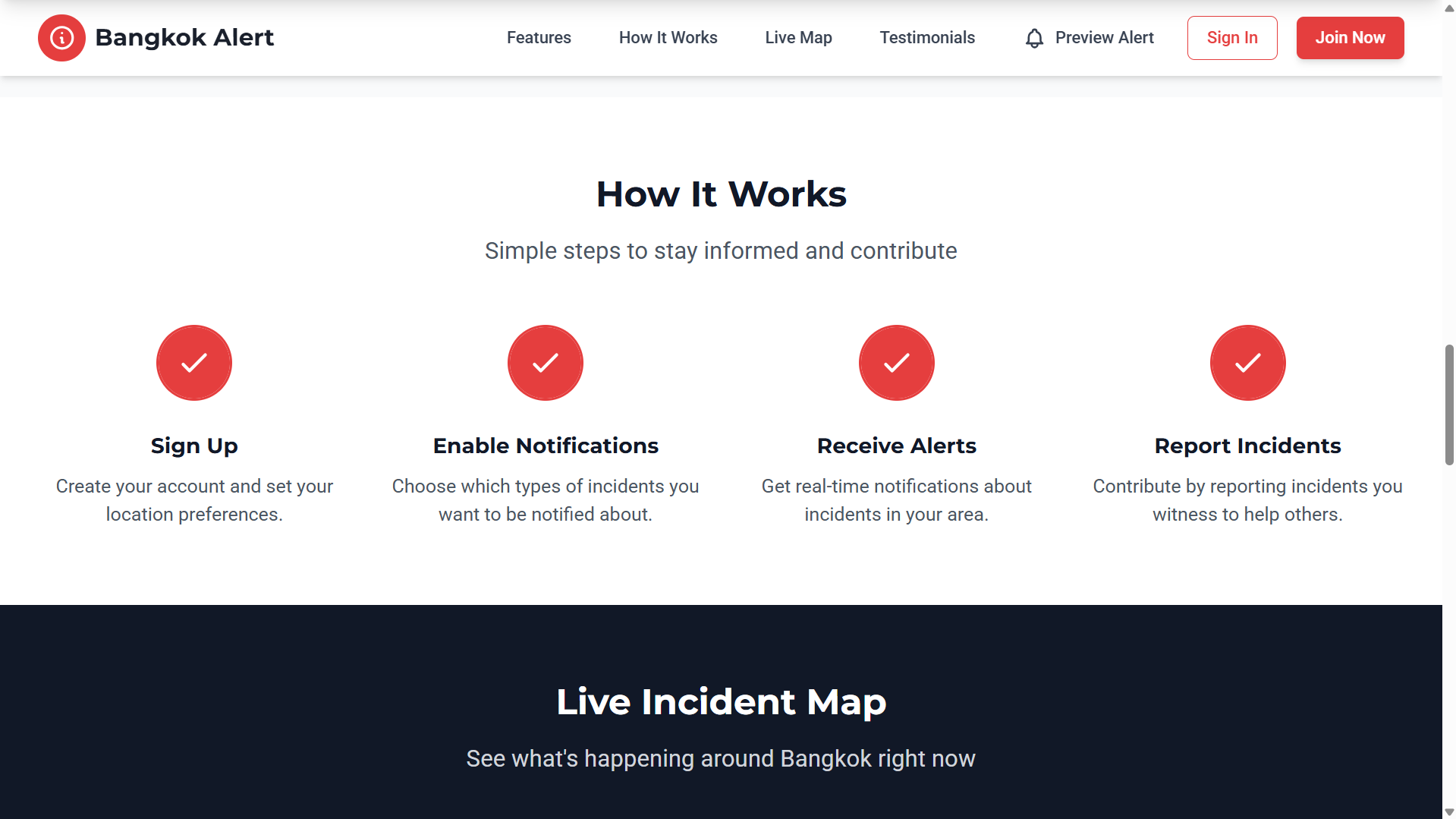
- Navigation Bar – Fixed top nav with logo, links (Features/How it Works/Live Map/Testimonials/ Preview Alert), and Sign In/Join Now buttons.
- Hero Section – Gradient background, subtle map icon, clear headline, subline, 2 CTAs (Join the Community, See Live Map), and live counters (Active Users / Active Alerts / Avg. Response).
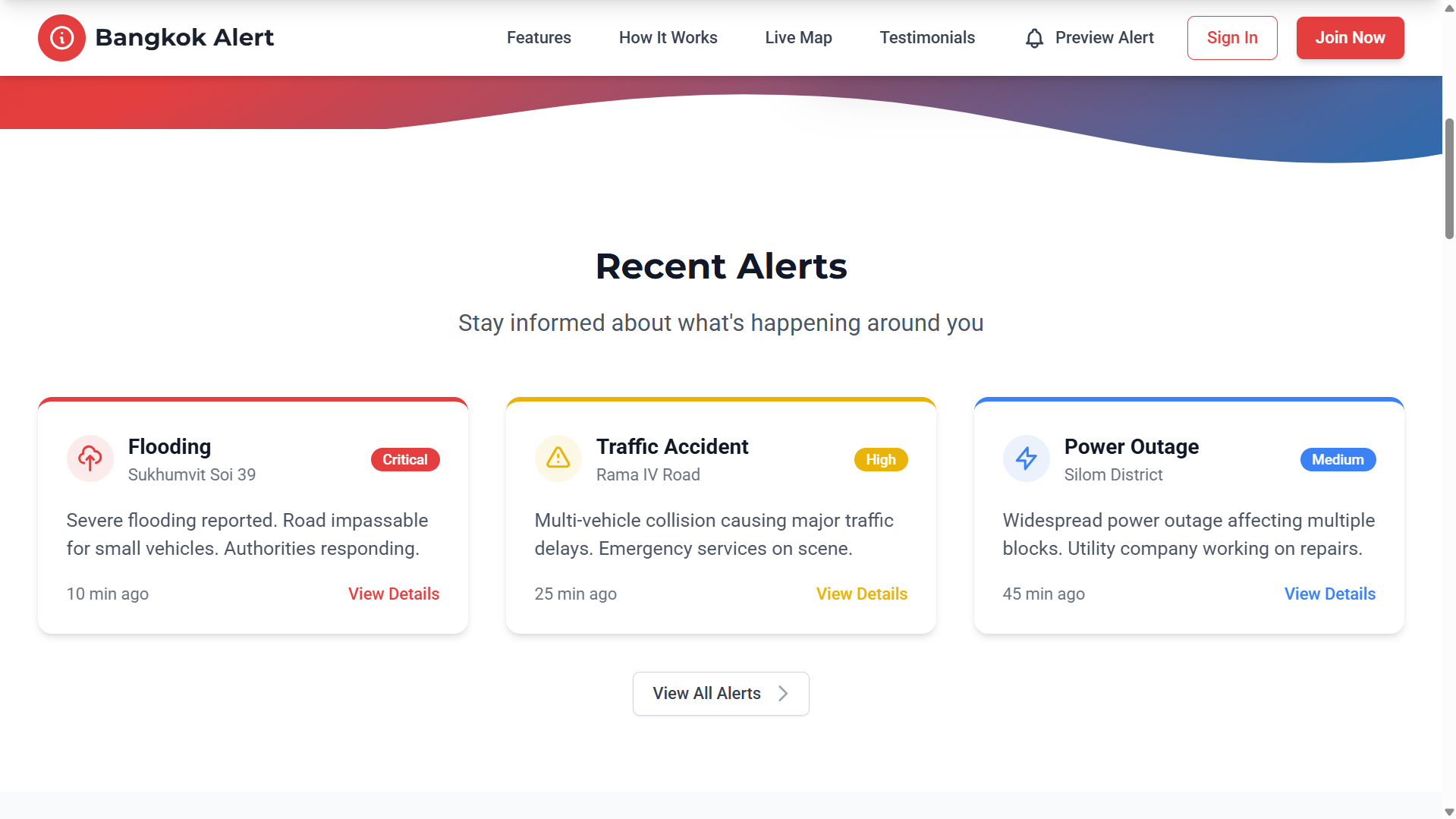
- Recent Alerts Section – Three alert cards (Flooding, Traffic Accident, Power Outage) with color-coded severity borders (Red=Critical, Yellow=High, Blue=Medium).
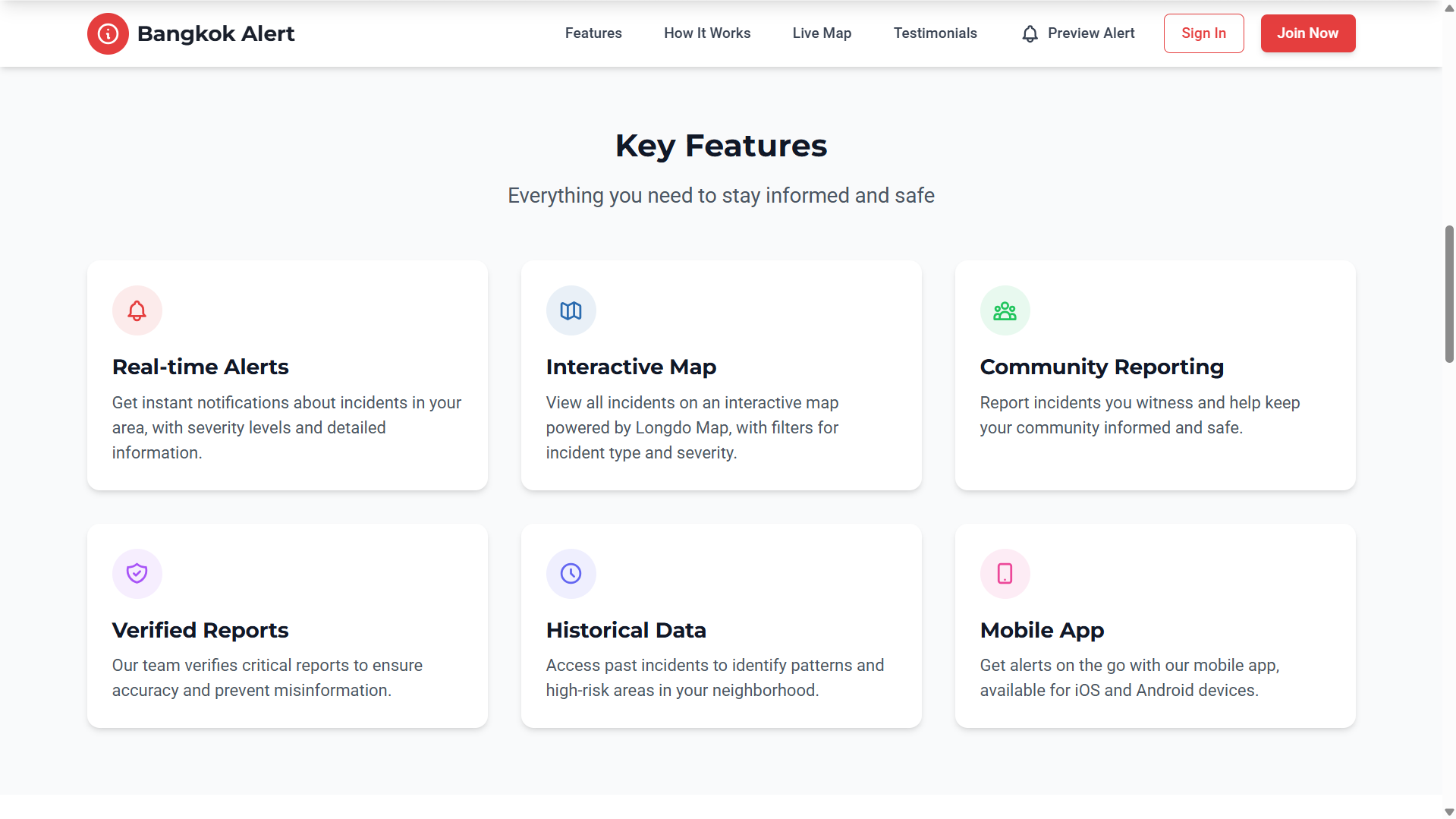
- Key Features Section – 3x2 grid highlighting six features with icons, titles, and descriptions for easy scanning.
- How It Works Section – Four-step journey with numbered circles and animated checks.
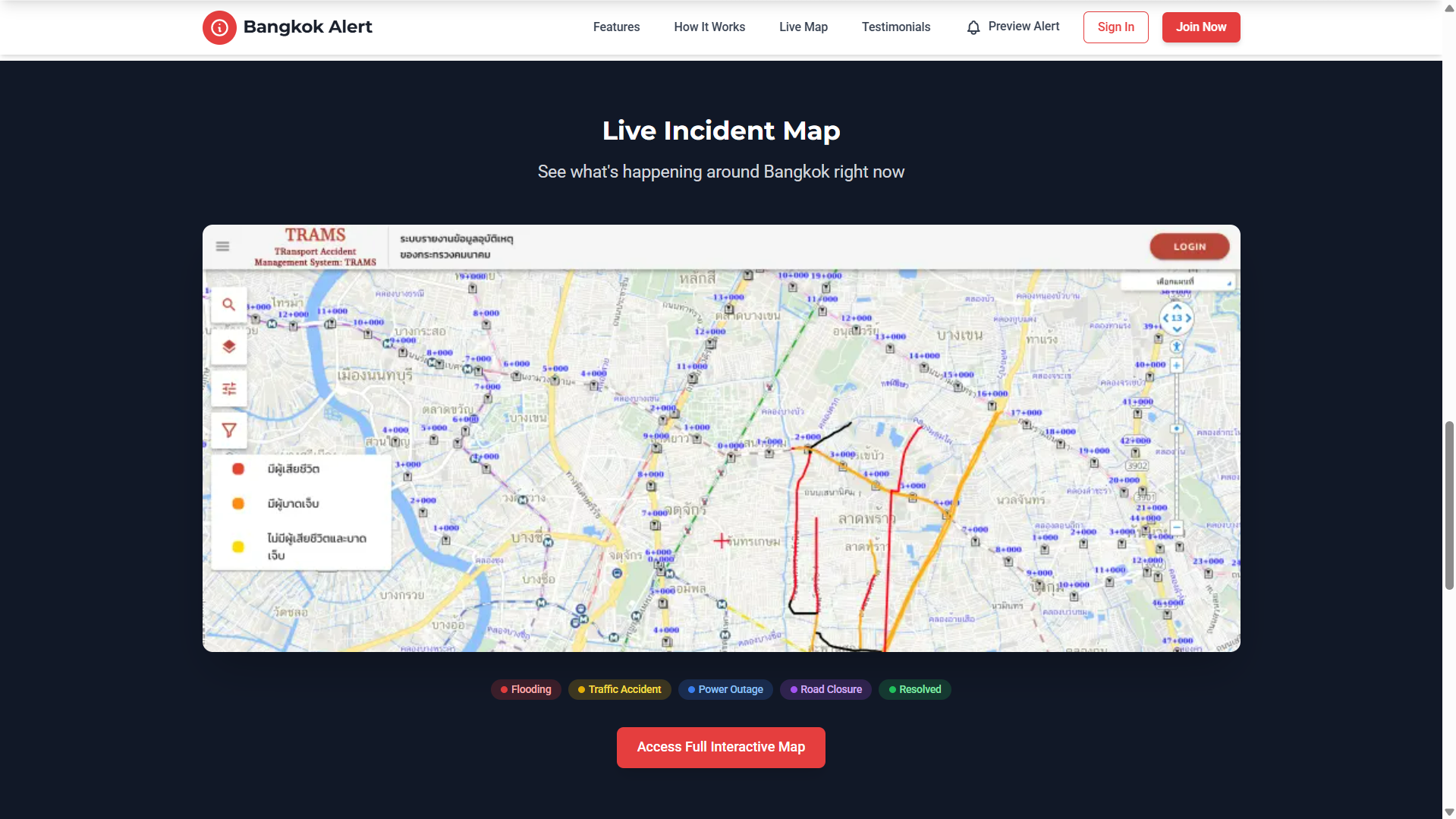
- Live Map Section – Interactive Longdo Map mock with a legend for incident types, enhancing clarity.
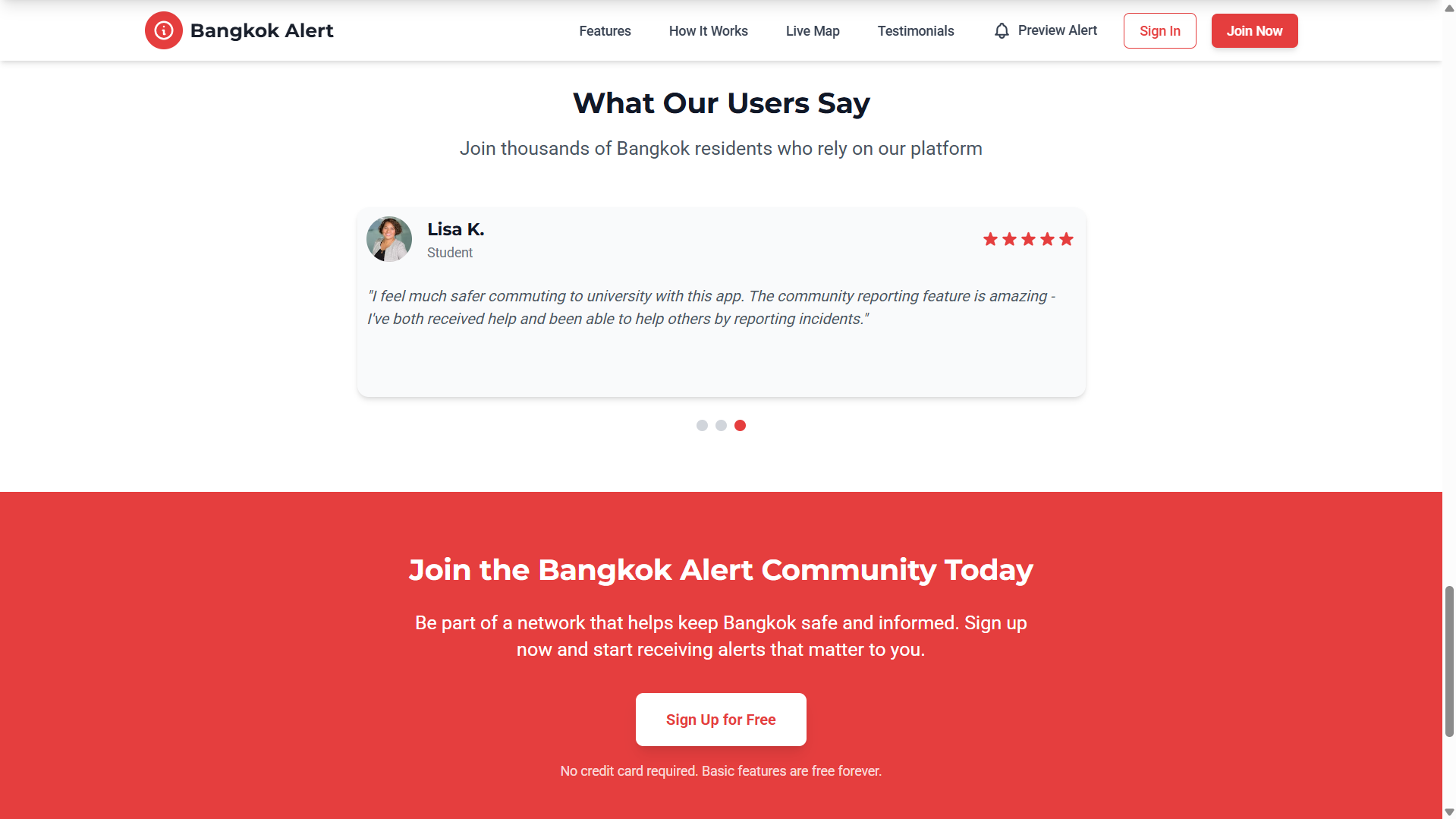
- Testimonials Section – Real-user quotes (Resident, Business Owner, Student) with auto-rotating carousel for social proof.
- Call-to-Action Section – Bold red background, concise message, Sign Up for Free button, plus a trust signal “No credit card required.”
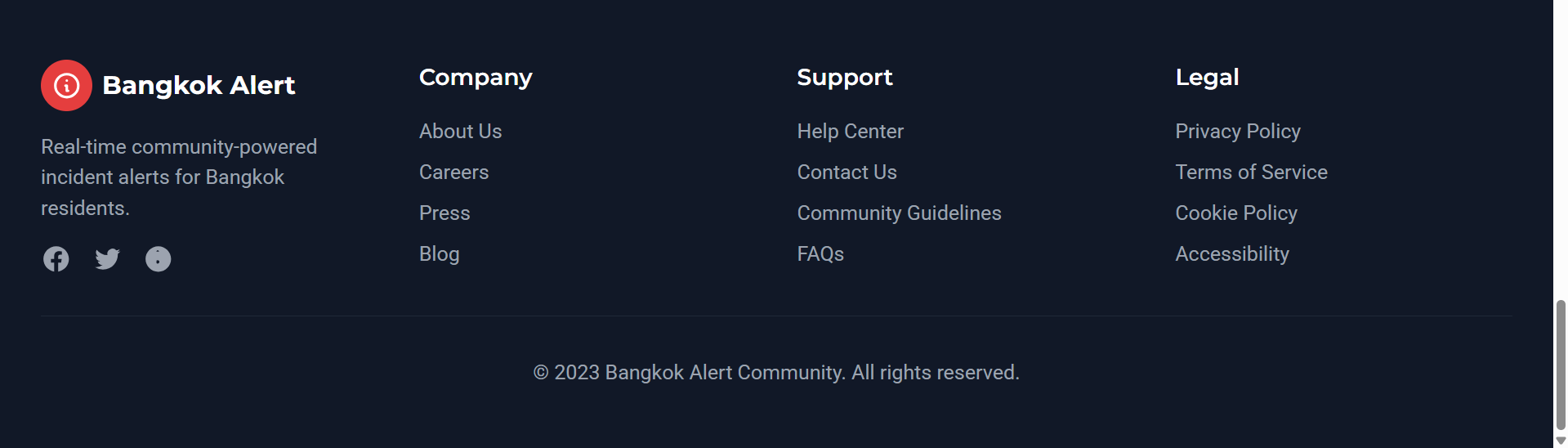
- Footer – 4-column layout (Company, Support, Legal, Social) on a clean dark background for professionalism.
UX/UI Perspective
- Colors & Typography: A strong red (Primary) and blue (Secondary) palette communicates urgency and reliability. Clean, modern fonts make the content easy to read.
- Animation & Micro-interactions: Hover-scale, pulse, and float effects add interactivity without being distracting.
- Responsive Design: The layout is optimized for both Desktop and Mobile-first experiences.
- Visual Hierarchy: Large headline, clear subtext, and strong CTAs (like “Join the Bangkok Alert Community Today”) guide the user journey.
What AppX Demonstrates
Even without building real functionality yet, AppX can instantly produce a complete landing page structure with UX/UI best practices from just a short prompt:
- Covers everything from Navigation → Content → CTA → Footer
- Balanced layout of information, visuals, and interaction
- Ready as a prototype or pitch deck to bring your app idea to life
AppX is the starting point to transform “ideas in your head” into “app designs you can see and share.” Ready to turn your ideas into real app designs? Try AppX today — no code, just your imagination.